BRIGADE.

Features

The daily kitchen cycle, connected.

A detailed view of how Brigade records requests, preparation, stock and management decisions across one kitchen.

Live section viewOrders, stock and preparation
One kitchen planNo per-user charge
Daily recordsGenerated from saved activity

Ordering

Section requests, reviewed together

Preparation

Named tasks and shared progress

Stock checks

A current picture of each section

Kitchen overview

One connected operational record

One operational record

From first preparation task to final delivery.

Section activity stays attributable to a person and place. Management can review the whole operation while cooks retain focused working lists.

Five starting sectionsThree permission levelsWhole-kitchen planDaily exports
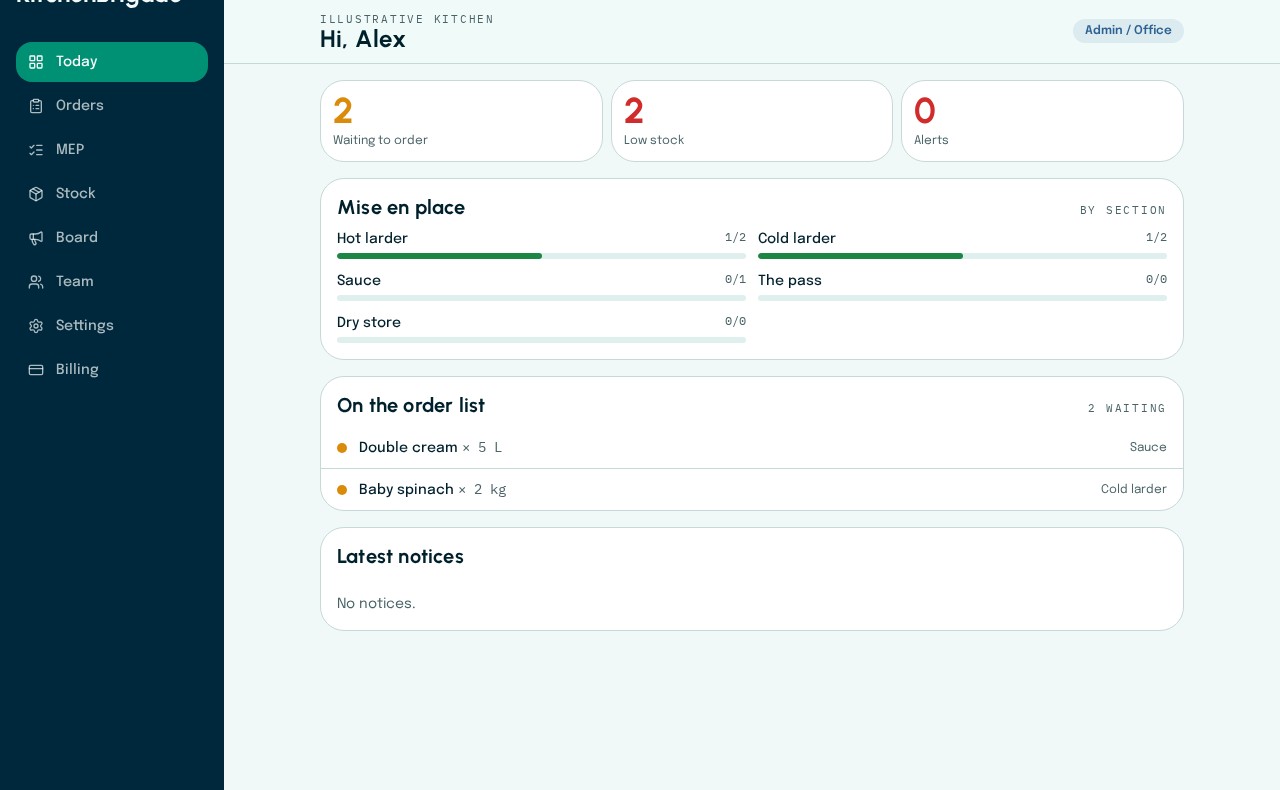
The head chef’s daily overview in KitchenBrigade with illustrative kitchen data

The head chef’s daily overview

Outstanding orders, low stock and section preparation progress appear together in the Today view.

Current app · fictional kitchen data

Inside the app

See each part of the working day where it belongs.

Screens from the current app, with fictional kitchen data and the relevant working context.

Order list

Ordering

Watch requests move from individual sections into one management review, with status visible to the wider brigade.

Examine the workflow
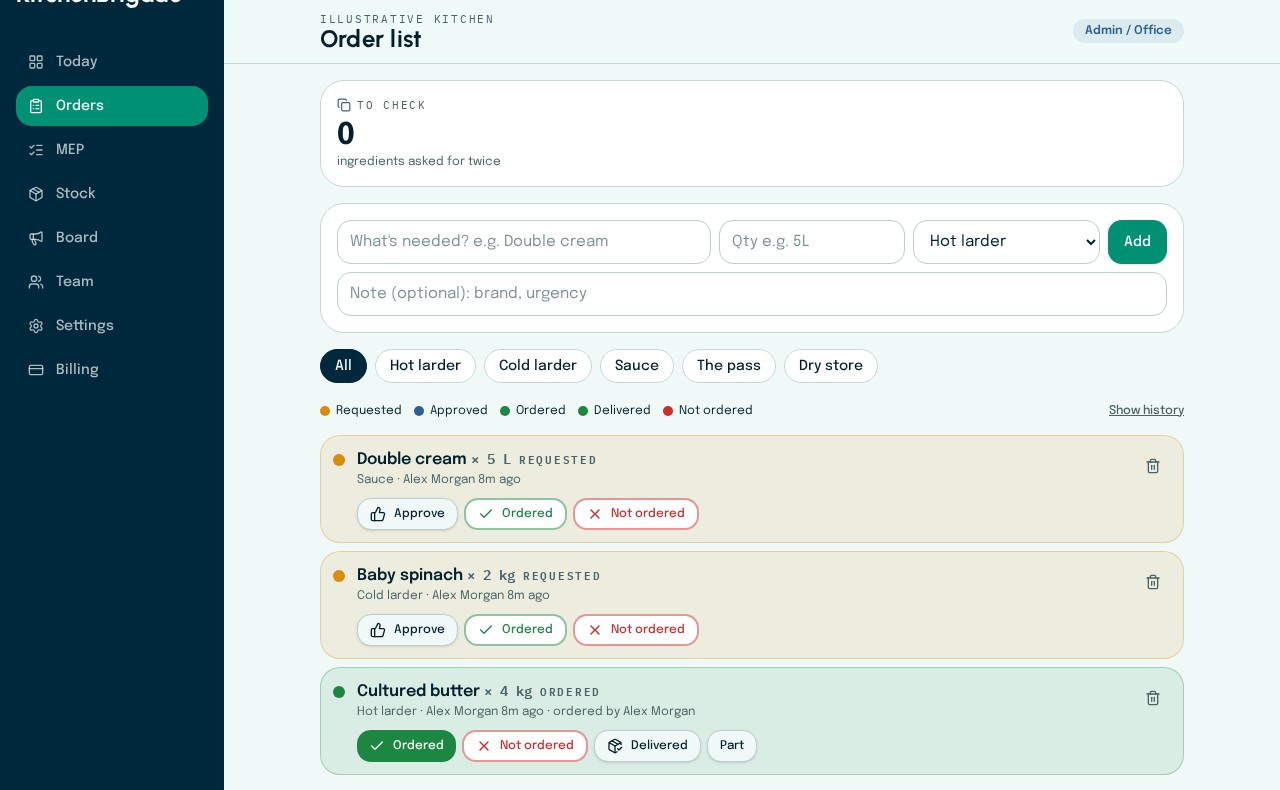
Order review in KitchenBrigade with illustrative kitchen data

Order review

Requests retain their section and requesting person. Management records ordering and delivery decisions in the same list.

Current app · fictional kitchen data
Order list

Mise en place

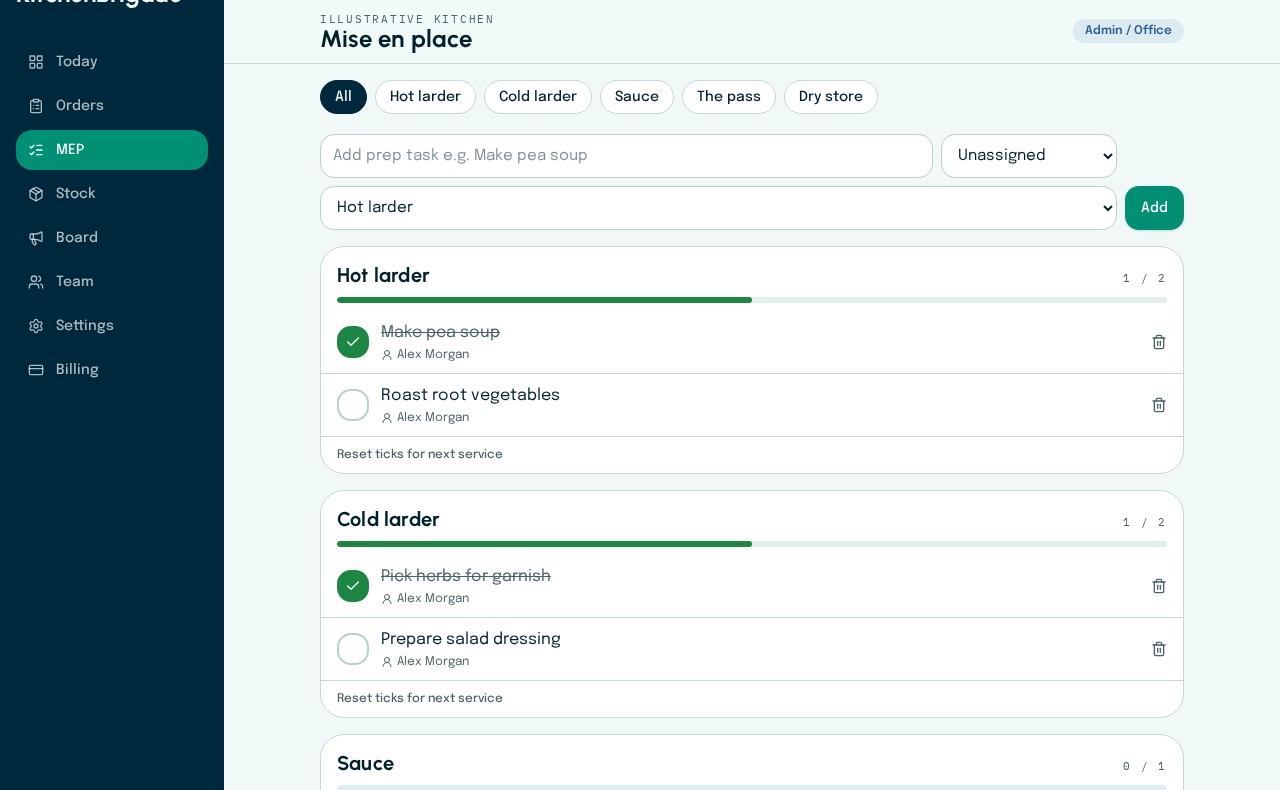
See named preparation ownership, section progress and independent completion attribution before service.

Examine the workflow
Named preparation tasks in KitchenBrigade with illustrative kitchen data

Named preparation tasks

Preparation is organised by section, assigned to a teammate and checked off independently when complete.

Current app · fictional kitchen data
Section checks

Stock and team

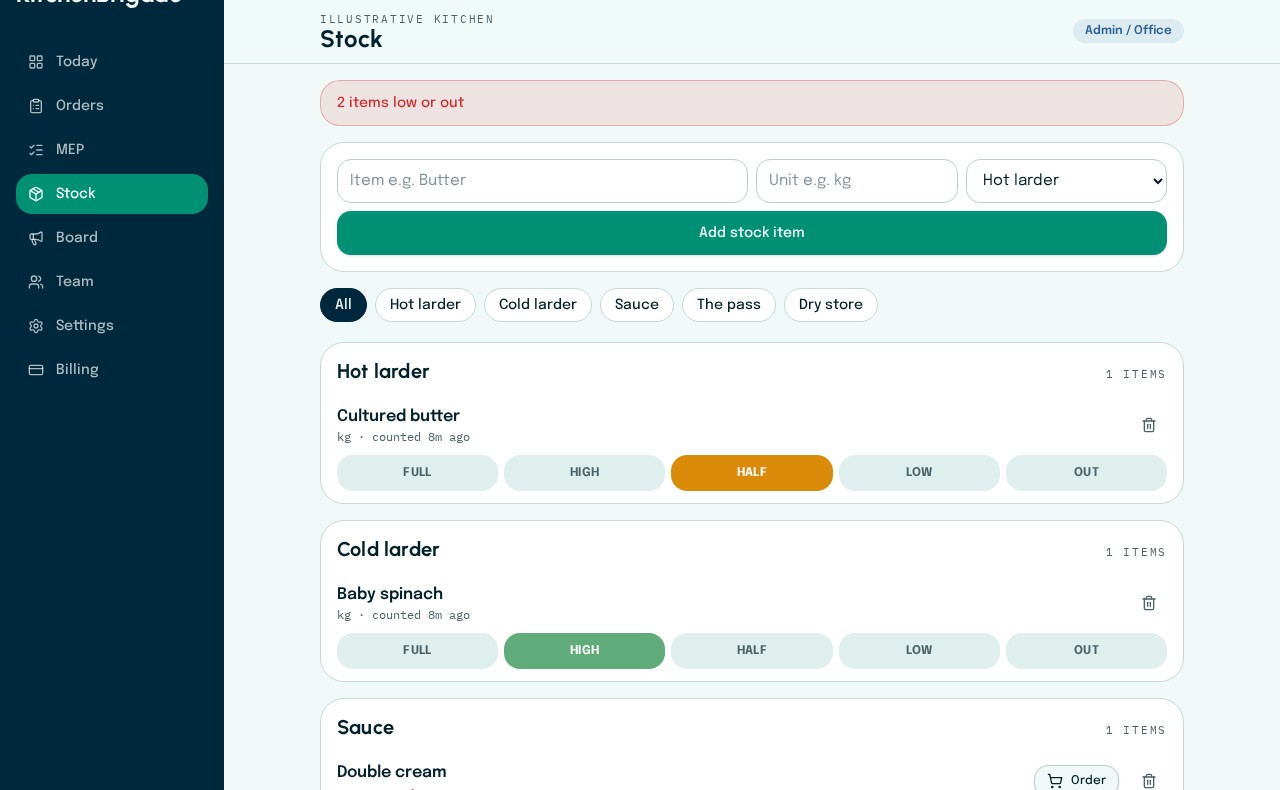
Follow colour-coded section checks, low-stock action and controlled access for admins, head chefs and cooks.

Examine the workflow
Section stock checks in KitchenBrigade with illustrative kitchen data

Section stock checks

Each section records Full, High, Half, Low or Out. Low items can move directly to the order list.

Current app · fictional kitchen data

Illustrative service record

One fictional day, connected across the product.

08:10

Cold larder

Pea soup assigned to Maya; responsibility recorded before preparation starts.

11:35

Sauce section

Two butter requests appear together for management review.

15:20

Walk-in check

Sea bass moves to Low; the latest check time remains visible.

17:45

Manager review

Delivery is recorded as part-delivered and remains open for follow-up.

Names, items, times and outcomes are illustrative product data, not customer results.